Executive Summary: GCash Integration on EM777
GCash is the undisputed standard for online casino transactions in the Philippines, providing near-instant fund transfers, low entry thresholds, and zero processing fees. On EM777, the automated payment gateway communicates directly with the GCash merchant switch to reflect deposits in your gaming balance within 15 to 60 seconds.
Whether you are making a casual micro-deposit of ₱50 to spin JILI slots or transferring higher balances for live dealer baccarat, following the correct payment workflow prevents transaction delays and balance discrepancies.
Deposit Limits, Fees & Processing Speed
| Parameter | GCash Standard Channel | GCash QR Express Pay | PayMaya Alternative |
|---|---|---|---|
| Minimum Deposit | ₱50 | ₱100 | ₱100 |
| Maximum per Transaction | ₱20,000 | ₱50,000 | ₱50,000 |
| Daily Cumulative Limit | ₱100,000 (standard verified) / ₱500,000 (Plus) | Governed by GCash Wallet Tier | Governed by Maya Wallet Tier |
| Processing Fee | 0% (Free) | 0% (Free) | 0% (Free) |
| Crediting Time | 15 – 45 seconds | Instant (< 30 seconds) | 30 – 60 seconds |
| Deposit Booster Promo | 2% – 5% extra credits | 2% – 5% extra credits | 2% extra credits |
Step-by-Step GCash Instant Deposit Walkthrough
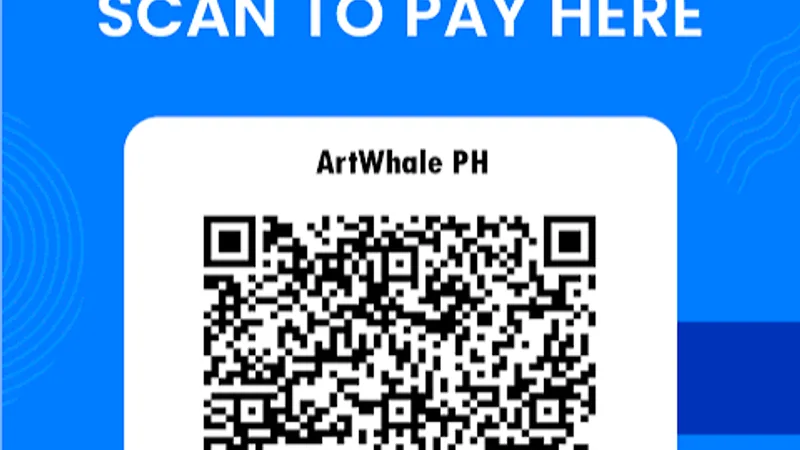
Scanning Dynamic GCash QR Code via Mobile App
Follow these instructions to complete an automated GCash deposit without manual merchant errors:
[ Tap Deposit ] ──► [ Select GCash QR ] ──► [ Enter Amount ] ──► [ Scan Dynamic QR in GCash ] ──► [ Auto-Credited ]
Step 1: Open the EM777 Cashier
- Log in to your verified account via the EM777 Login Portal or mobile app.
- Tap the gold "Deposit" button located on your dashboard header or bottom menu.
- Review your available balance.
Step 2: Select GCash & Input Deposit Amount
- In the payment gateway menu, select "GCash Direct" or "GCash QR Express".
- Select a quick-amount preset (₱100, ₱300, ₱500, ₱1,000, ₱5,000) or manually type your custom cash-in amount (minimum ₱50).
- If you wish to opt into the 100% First Deposit Match or Daily Reload Booster, ensure the corresponding promo toggle is checked before submitting.
- Tap "Proceed to Deposit".
Step 3: Scan the Dynamic QR Code via the GCash App
The platform will automatically generate a secure checkout window displaying a Dynamic Merchant QR Code:
- Take a screenshot of the QR code on your mobile device.
- Open your official GCash Application on your phone.
- Tap "QR" (Scan QR) on the main GCash dashboard.
- Tap the "Upload from Gallery" option at the bottom of the scanner screen and select your screenshot.
- The merchant name, exact amount, and reference code will auto-populate.
- Verify that the transfer amount matches your requested deposit exactly.
- Tap "Pay ₱[Amount]".
[!CAUTION]
Never Reuse a Cached QR Code! Every QR code generated by EM777 is dynamically bound to a unique 5-minute single-use transaction token. Never save and transfer funds to a previously used QR code; expired QR codes cannot be reconciled by the automated switch.
Step 4: Verification & Balance Update
- Once GCash confirms the payment with an SMS receipt, return to your EM777 browser or app window.
- Do not close or refresh the cashier screen until the gateway displays "Transaction Successful".
- Return to the lobby; your balance will update immediately.
Troubleshooting Delayed GCash Deposits
While 98% of GCash deposits credit in under a minute, high-traffic periods or network congestion can occasionally cause delays. Follow this diagnostic checklist:
Deposit Delayed?
│
├── Have 5 minutes passed?
│ ├── No ──► Wait patiently; GCash webhook is queueing.
│ └── Yes ──► Check GCash SMS transaction history.
│
└── Did GCash deduct your balance?
├── No ──► Transaction failed at gateway. Redo deposit.
└── Yes ──► Copy the 13-digit Reference Number (Ref No.)
and open EM777 24/7 Live Support.
Common Issues & Quick Fixes
- Network Congestion during GCash Peak Hours: During paydays (15th and 30th of the month) or systemic GCash maintenance, SMS delivery and webhook confirmations may experience 5- to 15-minute delays.
- Missing Reference Number: If your balance does not update within 5 minutes, locate the 13-digit Reference Number from your GCash confirmation SMS or transaction history. Open Customer Service Live Chat, select "Deposit Assistance", and paste your account username, transfer amount, and reference number. Support will manually reconcile and credit your account.
- Mismatched Transfer Amount: If you generated a deposit ticket for ₱500 but manually transferred ₱490 or ₱510, the automated payment switch will reject auto-matching. You must provide your transaction receipt to customer support for manual matching.
GCash Account Security Checklist
To protect your financial security while playing online, adhere strictly to these practices:
- Keep Your MPIN Secret: Your 4-digit GCash MPIN is strictly for your eyes only. Never provide your MPIN, GCash password, or SMS OTP to any casino admin, agent, or live support representative.
- Maintain Sufficient Wallet Balance: Ensure your GCash account has sufficient funds to cover the deposit without triggering overdraft or linked credit fees.
- Keep GCash Updated: Always run the latest version of the official GCash app from the Google Play Store or Apple App Store to maintain biometric authentication protocols.
Frequently Asked Questions (FAQ)
What is the minimum GCash deposit on EM777?
The standard minimum deposit via GCash is ₱50 to ₱100, depending on the active payment gateway selected.
Are there any transaction charges for depositing through GCash?
No. EM777 does not charge any processing fees for inbound GCash deposits. You receive 100% of the funds you transfer.
Can I deposit using a friend or family member's GCash account?
No. EM777 strictly enforces a single-owner financial policy. Depositing from an e-wallet registered under a different name may lead to transaction holds and account compliance reviews.